
The “304 Not Modified” HTTP status code is a typical response from web servers when a client (such as a web browser) requests a resource that has not been modified since the last time the client requested it. This can be an effective way for web servers to save bandwidth and reduce server load, as the client can use the cached version of the resource rather than requesting it again.
- Example Diagram of the “304 Not Modified” Process
- Status Code 304
- The HTTP Protocol
- How to Implement the “304 Not Modified” Status Code
- When Not to Use the “304 Not Modified” Status Code
- HTTP Status Codes
- 1xx Status Codes
- 2xx Status Codes
- 3xx Status Codes
- 4xx Status Codes
- Benefits of Using the “304 Not Modified” Status Code
- In Conclusion
- [Free Mini-Course] Learn the SEO strategy that we used at PayPal and Airbnb.
- Learn the exact SEO Keyword Strategy that we used at PayPal and Airbnb.
- SEO training to 10x your traffic from Google.
- Massively grow any business with digital marketing SOPs.
Example Diagram of the “304 Not Modified” Process
Here is a diagram showing the process of using the “304 Not Modified” status code:
As you can see, the client requests a resource, and the server responds with the complete resource.
On subsequent requests, the server responds with a “304 Not Modified” status code, indicating that the client can use the cached version of the resource.
Status Code 304
https://youtube.com/watch?v=qvr9a5tQR_s%3Ffeature%3Doembed%26enablejsapi%3D1%26origin%3Dhttps%3A
HTTP Status Code 304: «Not Modified»
The status code 304 “Not Modified» response is returned when a file is unchanged on the web server since it was last accessed.
The cached version then accelerates the loading speed and efficiency of subsequent requests for the same content.
Browsers and bots will make requests and they have an “If-Modified-Since” header, if the file has not been modified since then, the request won’t be fulfilled.
This kind of response is mostly used for crawl path optimization for very large sites, 100,000+ web pages.
By returning a status code 304 Not Modified header, you can save some of your crawl budget, and allocate it towards other pages that Google hasn’t seen yet.
Using 304s gets more valuable the more pages you have in the search index. The larger a website is, the more valuable a 304 response becomes.
If you have less than 1,000, or possibly even 10,000 pages, this may not be as useful to you.
The HTTP Protocol
https://youtube.com/watch?v=VLH3FMQ5BIQ%3Ffeature%3Doembed%26enablejsapi%3D1%26origin%3Dhttps%3A
Let’s talk about how the HTTP protocol works.
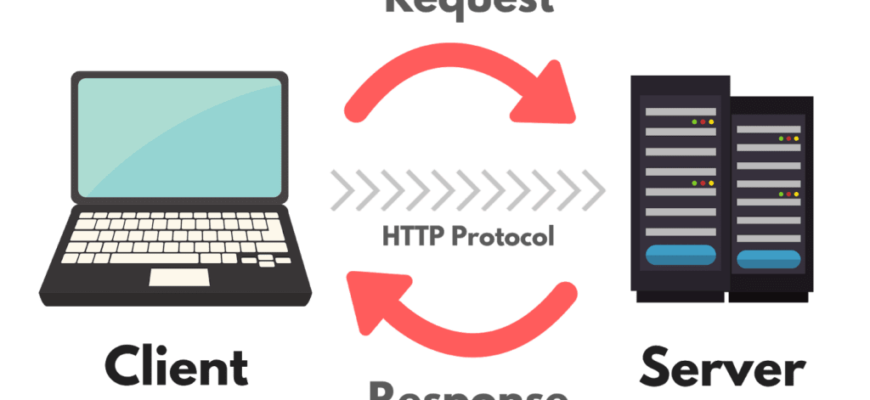
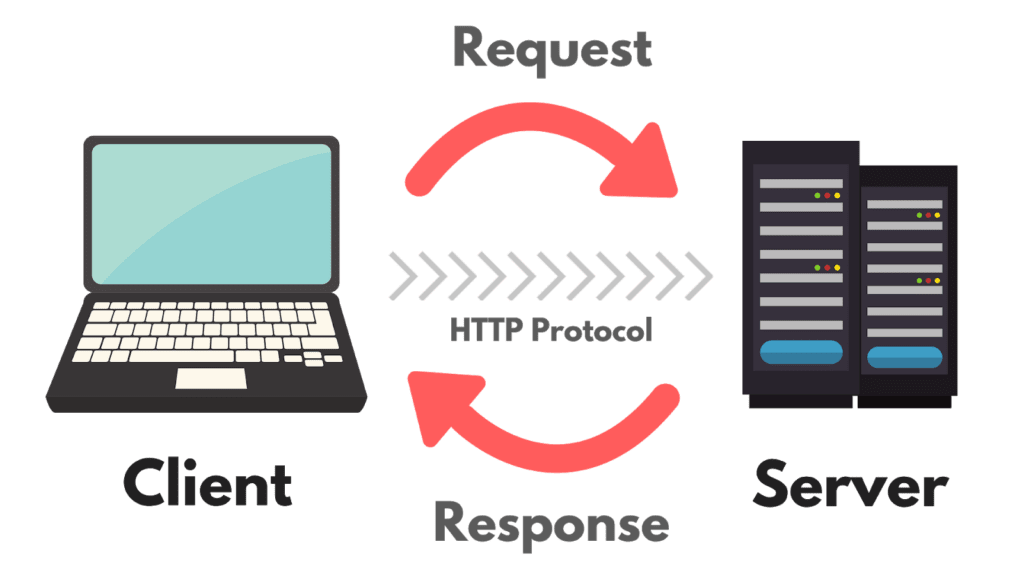
At its very foundation, the Internet is made up of two core things: clients and servers.
Any time you click on your browser, you are accessing the Internet through a web client. It may be Chrome, Firefox, Safari or Internet Explorer.
When you visit websites, you are making requests to their web servers.
Whenever you visit a page on the web, you are requesting a whole bunch of documents from that website’s server. Maybe those documents are HTML, CSS, images, a PDF—whatever it is, the basic relationship stays the same: you (the client), make a request, and the website (the server) responds to that request.
The language you are using to make these requests is called the HTTP protocol. These protocols are really just standards that everyone on the web has agreed to. Just like English, Spanish and Chinese are all languages that have an understood protocol, HTTP is just a bunch of standards and an understood protocol.
There are a number of different web protocols out there – and you might be familiar with some of them:
How to Implement the “304 Not Modified” Status Code
There are a few steps to take in order to implement the “304 Not Modified” status code on your website:
When Not to Use the “304 Not Modified” Status Code
There are a few situations where we may not want to use the “304 Not Modified” status code:
HTTP Status Codes
Now that we understand what the HTTP protocol is, let’s talk about HTTP status codes. Status codes let us know whether the HTTP request was a success, a failure, or something in between.
Let’s take a look at the five core status codes:
Some status codes are more common than others. For example, when you’re doing digital marketing, you’ll often come across status code 200, status code 301 and status code 404 — but you may never see status code 206 or 307.
1xx Status Codes
These are informational requests. The server hasn’t fully completed the request yet and it’s still processing the information. You will not see these codes often. They include:
2xx Status Codes
These are successful requests, which means everything is okay. They include:
3xx Status Codes
These are redirects. These are shown when you request an address, but you are sent somewhere else. These can be good or bad. They include:
4xx Status Codes
The “304 Not Modified” status code is typically used with the Last-Modified header, which specifies the date and time the resource was last modified. When a client requests a resource, it can include an If-Modified-Since header, specifying the date and time that the client last received the resource. If the resource has not been modified since then, the server will send a “304 Not Modified” response along with the Last-Modified header, indicating that the client can use the cached version of the resource.
Here is an example of a request and response using the “304 Not Modified” status code:
Request:
GET /example.html HTTP/1.1
Host: www.example.com
If-Modified-Since: Sun, 06 Nov 1994 08:49:37 GMT
Response:
HTTP/1.1 304 Not Modified
Last-Modified: Sun, 06 Nov 1994 08:49:37 GMT
Benefits of Using the “304 Not Modified” Status Code
There are several benefits to using the “304 Not Modified” status code:
In Conclusion
Get the SEO Checklist sent to your inbox.
[Free Mini-Course] Learn the SEO strategy that we used at PayPal and Airbnb.
Get the EXACT framework you need to implement to get your SEO strategy rock-solid for the rest of year.
Learn the exact SEO Keyword Strategy that we used at PayPal and Airbnb.
Reserve your spot at this special free SEO Masterclass!
SEO training to 10x your traffic from Google.
ClickMinded is where 8,702 startups, agencies, entrepreneurs and students learn SEO, get higher rankings, and more traffic.
Massively grow any business with digital marketing SOPs.
The ClickMinded SOP Library is a collection of digital marketing strategy templates, with step-by-step instructions that you can use to grow any website.
Thank you for being a part of the ClickMinded family!
